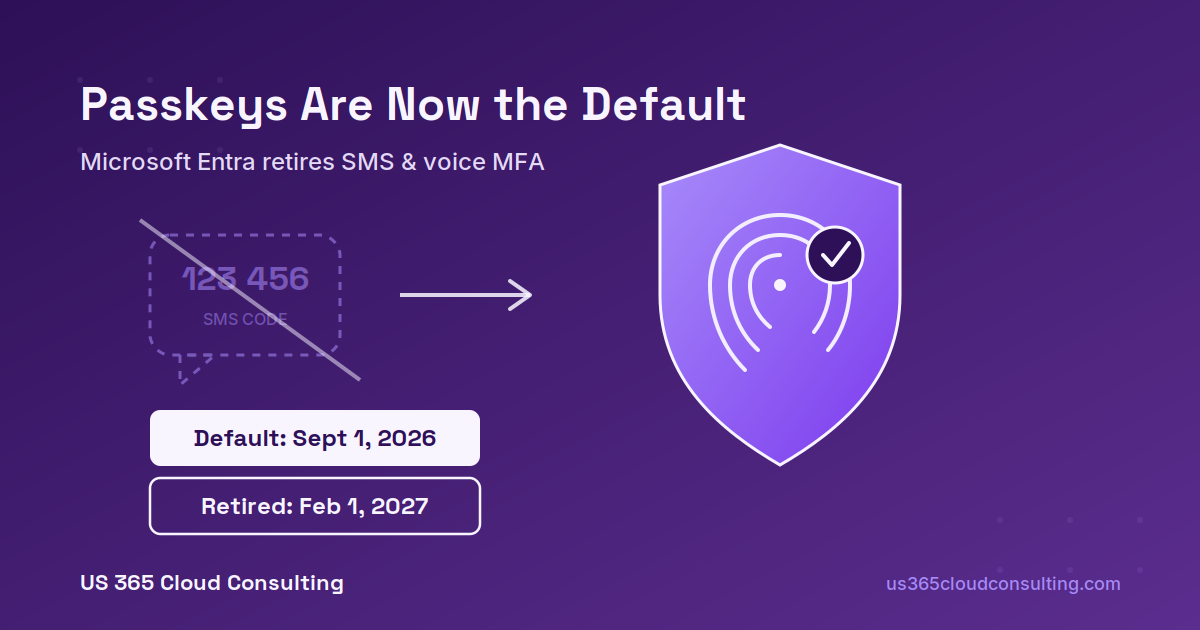
Starting September 1, 2026, Microsoft Entra makes passkeys the default authentication method for every tenant, and Microsoft-provided SMS and voice multifactor authentication are on a fixed retirement path to February 1, 2027. If your organization still leans on text-message or phone-call codes for MFA, this change is already rolling out in your tenant right now — whether you’ve configured anything or not.
What Actually Changed on September 1
Microsoft didn’t announce this with a keynote. It landed as a Message Center notice (MC1426371), and it quietly resets two settings for any user currently enrolled in SMS or voice MFA:
- Those users are auto-enrolled for passkeys in the Entra Authentication Methods Policy.
- Registration Campaign is switched to “Microsoft Managed” and automatically targets those same users.
In practice, that means the next time an affected employee signs in and completes MFA, they’ll see a new prompt asking them to register a passkey. It’s a nudge, not a wall — users can skip it, and by default they can skip it indefinitely. Nothing breaks today. But every one of your employees is about to see an unfamiliar security prompt, and if your helpdesk doesn’t know it’s coming, they’ll be the ones fielding the “is this legitimate?” calls.
Why Microsoft Is Doing This
SMS and voice codes have been the fallback MFA method for years, mostly because they always worked — everyone has a phone. But they’re also the weakest link in the MFA chain: text messages can be intercepted, phone numbers get hijacked through SIM-swap attacks, and voice calls are an easy target for social engineering. Microsoft’s stated reasoning ties directly to AI-era security — phishable credentials become a bigger liability as organizations scale AI adoption, and the company wants phishing-resistant authentication to be the default, not something admins have to opt into.
Passkeys, built on the FIDO2 standard, close those gaps. They come in two flavors: synced passkeys (stored in something like iCloud Keychain or Google Password Manager) and device-bound passkeys (tied to Windows Hello for Business, Microsoft Authenticator, Entra Passkey on Windows, or a physical security key).
The Two Dates That Matter
| Date | What Happens |
|---|---|
| September 1, 2026 | Passkeys become the default sign-in experience. Users on SMS/voice are auto-enrolled and prompted (skippable) to register a passkey. SMS and voice still work as a fallback during this window. |
| February 1, 2027 | Microsoft-provided SMS and voice are fully retired. The passkey registration prompt becomes blocking — no opt-out. Users whose only MFA method is a phone number will be required to register a passkey before they can sign in. |
There’s a middle step worth knowing about too: starting September 18, 2026, Microsoft opens up details on customer-managed telecom providers through the Microsoft Security Store. If your organization has a genuine business reason to keep SMS or voice MFA past February 2027 — think frontline workers without company devices, or regions where passkey hardware isn’t practical — you’ll need to configure a third-party telecom provider before the deadline. That path exists, but it isn’t free: pricing is typically per-message and varies by provider and region. Migrating users to passkeys instead costs nothing extra.
What This Means If You Do Nothing
If you take no action, Microsoft’s default rollout handles the mechanics for you — but “handled for you” isn’t the same as “handled well.” A few things to watch:
- Your Registration Campaign settings change automatically. If you’re currently running a campaign pointing users to Microsoft Authenticator, it will start pointing a broader group toward passkeys instead. That’s not necessarily wrong, but you want to know about it before your helpdesk finds out from confused users.
- Unlimited snoozes means slow adoption. Users can skip the passkey prompt indefinitely by default. Left alone, you may still have a meaningful chunk of your workforce on SMS/voice when the blocking prompt hits in February 2027 — at which point it becomes an urgent, all-at-once transition instead of a managed one.
- Device-bound passkeys need a home. Windows Hello for Business and Microsoft Authenticator cover most knowledge-worker scenarios, but shared devices, kiosk users, and BYOD environments need a deliberate plan, not the default rollout.
How to Get Ahead of It
- Find out who’s still on SMS or voice today. This is a straightforward query against your Authentication Methods Policy and worth running now, before the auto-enrollment reshapes your reporting.
- Decide if you actually need a telecom fallback. Most mid-market organizations don’t — but if you have a legitimate use case (frontline staff, specific compliance requirements), start evaluating telecom providers in the Microsoft Security Store well before the September 18 details land and the February 2027 deadline arrives.
- Run your own registration campaign, on your timeline. Rather than letting Microsoft’s default “Managed” campaign nudge users at random, proactively communicate the change, target the right authenticator method for each user group, and set an internal deadline well ahead of February 2027.
- Prep your helpdesk now. A five-minute heads-up to your support team about what the new sign-in prompt looks like will save a lot of “is this phishing?” tickets.
Frequently Asked Questions
Does this affect Microsoft Authenticator push notifications? No. This change specifically targets Microsoft-provided SMS text codes and voice calls. Authenticator app push notifications and time-based codes are unaffected and remain fully supported.
Will users lose access to their accounts on September 1? No. September 1 only changes the default policy and registration campaign settings — SMS and voice still function as a fallback until the February 1, 2027 retirement. Nothing is blocked yet.
What if we already require phishing-resistant MFA? If your organization already enforces FIDO2 security keys or Windows Hello for Business, this change likely has minimal practical impact — you’re just formalizing what’s already your default.
Can we opt out of the auto-enrollment? Yes, temporarily. A temporary opt-out is available for the window between September 1, 2026 and February 1, 2027, letting you delay passkey and Registration Campaign enablement while you complete your own transition plan.
Is there a cost to switching to passkeys? No. Migrating Microsoft-provided SMS and voice users to passkeys carries no additional licensing cost, and passkey support is available in every Entra ID edition, including the free tier.
Hybrid identity and Conditional Access changes like this one tend to arrive quietly and land loudly. If you’d like a quick read on how many users in your tenant are still relying on SMS or voice MFA — and a realistic timeline to get them onto passkeys before the February 2027 deadline — reach out and we’ll take a look.
Calibrate 365 | info@calibrate365.com | calibrate365.com
This post is provided for informational purposes based on publicly available Microsoft documentation as of September 2026. Rollout timelines and settings may change; consult the Microsoft Entra admin center for your tenant’s current configuration.
Leave a Reply