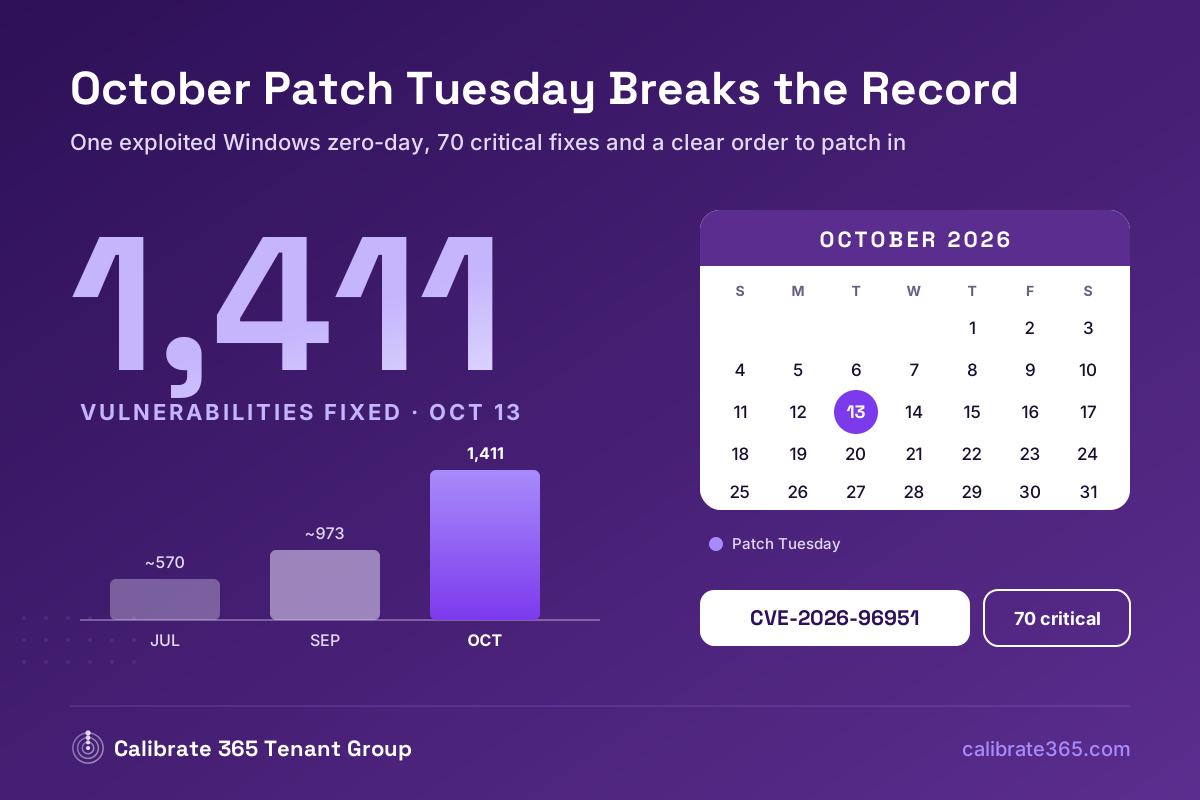
Microsoft’s October 13, 2026 Patch Tuesday fixed a record 1,411 vulnerabilities, including one actively exploited zero-day (CVE-2026-96951, a Windows Shell flaw that bypasses Mark of the Web) and two publicly disclosed zero-days. Seventy are rated Critical. Priorities for most organizations: deploy the Windows update fixing CVE-2026-96951 everywhere, patch internet-facing SharePoint Server and Exchange Server next, then address Active Directory Federation Services and Active Directory Domain Services critical flaws. This was also the final security update for Windows 11 24H2 Home and Pro.
If it feels like Patch Tuesday has been getting bigger every month this year, it has. July set a record at roughly 570 CVEs, September came in around 973, and October nearly doubled again. That pace changes how small and mid-sized IT teams need to approach patching: you cannot treat every fix equally, so prioritization by exposure and active exploitation matters more than ever.
How Big Was October’s Release?
Microsoft fixed 1,411 vulnerabilities on Patch Tuesday itself, according to BleepingComputer’s count, not including 348 flaws addressed earlier in the month. Other trackers report slightly different totals (between roughly 1,407 and 1,413) depending on what they include, but every count makes it the largest release on record.
70 vulnerabilities are rated Critical:
- 57 remote code execution
- 11 elevation of privilege
- 2 spoofing
By category (approximate):
- Elevation of privilege: 677
- Remote code execution: 317
- Information disclosure: 254
- Denial of service: 73
- Security feature bypass: 40
- Spoofing: 28
What Are the Zero-Days?
| CVE | Product | Status | What it does |
|---|---|---|---|
| CVE-2026-96951 | Windows Shell | Actively exploited | Security feature bypass that lets attackers get around Mark of the Web protections; exploitable over a network |
| CVE-2026-108398 | .NET Framework | Publicly disclosed | Security feature bypass that could let an authenticated attacker evade Windows Defender Application Control (WDAC) with a crafted .NET assembly; reported by James Forshaw of Google Project Zero |
| CVE-2026-92707 | MessagePack-CSharp | Publicly disclosed | Denial-of-service flaw, rated Moderate |
Why CVE-2026-96951 Matters Most
Mark of the Web (MotW) is the tag Windows places on files downloaded from the internet or received as email attachments. It’s what triggers SmartScreen warnings and Office’s Protected View. Bypassing it removes one of the main safety nets between a user and a malicious attachment, which is why MotW bypasses are a favorite of phishing and malware campaigns.
Microsoft hasn’t shared exploitation details. CISA has added the flaw to its Known Exploited Vulnerabilities catalog, and security researchers report a federal remediation deadline of October 16, 2026. That date applies formally only to U.S. federal agencies, but any organization that hasn’t deployed this update should treat it as overdue.
What About SharePoint Server and Exchange Server?
October’s release includes several on-premises SharePoint Server and Exchange Server fixes. These products often face the internet directly and have been targeted repeatedly in 2026, with exploited SharePoint zero-days in April and July.
SharePoint Server:
- CVE-2026-70266, elevation of privilege
- CVE-2026-88204, CVE-2026-102864, CVE-2026-102859 and CVE-2026-88208, spoofing
Exchange Server:
- CVE-2026-70279, spoofing via cross-site scripting that may be exploitable by an unauthenticated attacker over the network
Security researchers also note that the October SharePoint cumulative update disables the ImportWeb SOAP method, so check whether any custom workflows or tools depend on it before deploying.
SharePoint Online and Exchange Online are patched by Microsoft automatically. These fixes apply to organizations running their own servers.
Which Other Critical Fixes Deserve Attention?
Identity infrastructure is the next priority after the zero-day and internet-facing servers:
- Active Directory Federation Services spoofing: CVE-2026-96222 and CVE-2026-108131
- Active Directory Domain Services remote code execution: CVE-2026-70229
AD FS and domain controllers sit at the heart of authentication. A compromise there can mean a compromise of everything that trusts them, including hybrid Microsoft 365 sign-ins.
Which Windows Versions Just Stopped Getting Updates?
Microsoft confirmed that the October 2026 monthly security update is the last one available for:
- Windows 11 version 24H2 Home and Pro editions
- Windows 10 Enterprise LTSB 2016
Microsoft also reiterated that Windows 11 23H2 Enterprise, Education and IoT Enterprise editions stop receiving security updates starting next month.
Any device still on these versions after this month is effectively unpatched going forward. Intune feature update policies or Windows Autopatch can move devices to a supported release.
Other Vendors Patching Exploited Flaws This Month
October was busy across the industry. Several products that commonly sit at the network edge had actively exploited flaws:
- Fortinet FortiMail, critical flaw CVE-2026-104286 exploited as a zero-day
- Citrix NetScaler ADC and Gateway, CVE-2026-88779 exploited as a zero-day before patching
- Ivanti Connect Secure, actively exploited zero-day
- SonicWall SMA1000, critical SSRF flaw exploited within two days of disclosure
- Atlassian Confluence, Jira and Bitbucket Data Center, critical file access flaw CVE-2026-21589 exploited after a proof-of-concept was published
If your organization runs any of these, they belong on the same priority list as the Microsoft zero-day.
A Patching Order That Works for a Record Month
- Deploy the CVE-2026-96951 fix to every supported Windows device and server. This is the one being exploited.
- Patch internet-facing SharePoint Server and Exchange Server before internal instances. If patching is delayed, restrict public access and limit admin interfaces to trusted networks.
- Patch domain controllers and AD FS servers for the Critical identity flaws.
- Patch exploited third-party edge devices (FortiMail, NetScaler, Ivanti, SonicWall, Atlassian) on the same timeline.
- Upgrade devices on end-of-update Windows versions (Windows 11 24H2 Home/Pro, Windows 10 Enterprise LTSB 2016) to a supported release.
- Roll out the remaining updates through your normal rings.
- Verify, don’t assume. Confirm installed update levels directly on each server and in Intune compliance reports. Deployment dashboards can miss failed or partial installs.
How Can Intune and Windows Autopatch Help?
For cloud-managed endpoints, Windows Autopatch and Intune update rings handle most of this automatically, with ring-based rollout so problems surface on a small group first. Expedited quality updates in Intune can push the CVE-2026-96951 fix to devices immediately, ahead of normal deferral settings. Intune compliance policies and update reports then show which devices actually installed it.
On-premises servers like SharePoint, Exchange, AD FS and domain controllers still need a deliberate patch process, since Autopatch focuses on Windows client devices.
Frequently Asked Questions
Do I need to do anything for SharePoint Online or Exchange Online? No. Microsoft patches its cloud services directly. The SharePoint and Exchange fixes in October apply to on-premises SharePoint Server and Exchange Server.
Why are Patch Tuesday releases getting so large? Microsoft hasn’t given a single explanation, but release sizes have grown sharply through 2026, from around 570 CVEs in July to about 973 in September and more than 1,400 in October. Whatever the cause, it makes prioritizing by exposure and active exploitation essential.
What is Mark of the Web and why does bypassing it matter? It is a tag Windows adds to files from the internet. It triggers SmartScreen warnings and Office Protected View. A bypass lets a malicious download or attachment open without those warnings, which is valuable to phishing campaigns.
Our devices are on Windows 11 24H2 Home or Pro. What now? October 2026 was their last security update. Move them to a supported Windows 11 release as soon as possible, using Intune feature update policies if the devices are managed.
How do we confirm the zero-day patch actually installed? Check the installed update level directly on each server and use Intune update and compliance reports for managed endpoints. Don’t rely on deployment status alone; it can miss failed or partial installs.
Make Record Patch Months Routine
A 1,411-fix month is only manageable with clear priorities and automation you trust. Calibrate 365 helps organizations set up Intune update rings and Windows Autopatch, build compliance reporting that shows what actually installed, and create a repeatable priority process for exploited and internet-facing flaws. MSP partners can bring us in to standardize update management across their client tenants under their own brand.
Calibrate 365 Tenant Group | info@calibrate365.com | 603-759-8721 | calibrate365.com
This post is provided for informational purposes based on publicly available Microsoft security release information and industry reporting as of October 2026. Vulnerability counts vary slightly between sources. Consult the Microsoft Security Update Guide and your vendors’ advisories for authoritative details and your environment’s current patch status.
Leave a Reply