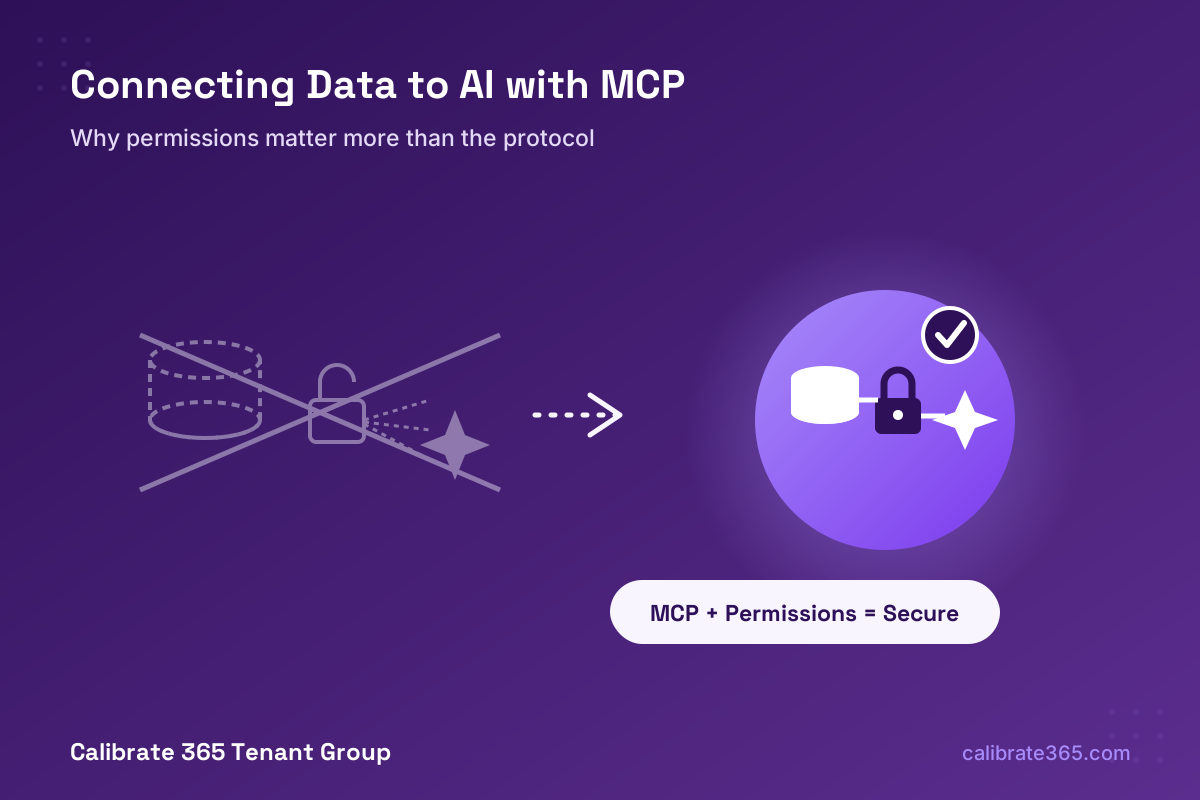
Model Context Protocol (MCP) servers now let Microsoft 365 Copilot and other AI tools pull live data from your business systems — SharePoint, SQL databases, CRMs, line-of-business apps — but an MCP connection built without proper tenant permissions, authentication, and data protection is functionally the same as pasting your company’s data into a free, consumer-grade AI chatbot.
MCP is quickly becoming the standard way to plug real business data into AI assistants, and Microsoft has been shipping MCP support across Copilot and Copilot Studio throughout 2026. That’s genuinely useful — and genuinely risky if it’s set up casually. Here’s what MCP actually does, why the protocol itself doesn’t protect you, and how to pool and expose your data securely instead of accidentally feeding it to whatever model happens to be on the other end.
What’s Actually Changing
Microsoft 365 Copilot now supports MCP-based agents natively — developers can build an MCP server that exposes a data source or business system as a set of tools an AI agent can call, and that agent shows up inside Copilot like any other. Microsoft has also built MCP support directly into Copilot Studio, so organizations can connect Copilot to databases, Dynamics 365, Microsoft Fabric data agents, and custom line-of-business systems through a standardized protocol instead of one-off integrations for every tool.
This is the same pattern driving a lot of 2026’s AI tooling broadly — MCP has become the common language for “let an AI model call this tool and read this data” across vendors, not just Microsoft’s stack.
Why This Matters: MCP Is a Protocol, Not a Permission System
Here’s the part that gets missed in the excitement: MCP defines how an AI agent talks to a tool — it doesn’t automatically decide who’s allowed to see what. That’s entirely up to how the server is built and configured. A well-built MCP server enforces identity, scoping, and least-privilege access. A quickly-thrown-together one hands over broad access to whatever database or system it’s connected to, with no real gate in front of it.
That distinction is exactly what separates a secure business deployment from the “free AI” problem:
- Consumer-grade, free AI tools generally offer no enterprise data protections — anything typed in or connected can potentially be used to improve the underlying model, with no compliance commitments and no tenant boundary.
- An MCP server with no real permission structure behind it produces the same outcome, even if it’s technically connecting to “Copilot” — if the server hands over data to any caller with a valid-looking request, it doesn’t matter that the branding says Microsoft. The data has left your control the same way it would with a free consumer chatbot.
- A properly configured, business-tier deployment — licensed Microsoft 365 Copilot, tenant-bound authentication, and an MCP server built with real access controls — keeps data inside your service boundary, respects your existing permissions, and never trains a shared model on your business information.
In other words: the branding on the AI tool isn’t what protects your data. The permission architecture behind the connection is.
What “Secure” Actually Looks Like
Properly done, an MCP deployment layers security at four points, and skipping any one of them is where businesses get exposed:
- Data layer scoping. Expose only the specific tables, views, or fields the agent actually needs — not a direct, wide-open connection to an entire database. Field-level restrictions keep sensitive columns (salary data, SSNs, contract terms) out of reach entirely, regardless of what the AI asks for.
- Real authentication, not a shared service account. Agents should act on behalf of the actual signed-in user — using OAuth and token-exchange flows — so the AI can only ever see what that specific person is already allowed to see. A single shared credential behind the MCP server defeats the entire point.
- Role-based access mapped to your existing identity system. Map Microsoft Entra ID roles to database and tool-level permissions directly, rather than inventing a separate permission system just for the AI layer. If someone doesn’t have access to a file or table today, the agent shouldn’t either.
- Logging and runtime review. Every tool call an agent makes should be logged with what it asked for and whether it was allowed — not just for security, but because “what did the AI actually touch” is the first question that comes up after any incident.
Organizations running MCP deployments without this structure see dramatically more security incidents than ones that enforce least-privilege access from the start — the difference isn’t marginal, it’s the gap between “contained” and “wide open.”
How to Pool Your Data Together Securely
A lot of the value businesses want from AI — “ask Copilot anything across our CRM, our SharePoint, our project data” — depends on pooling data from multiple systems somewhere the AI can reach it. The secure way to do that isn’t a flat, unrestricted database copy; it’s a governed layer in between:
- Microsoft Fabric or Dataverse as the pooling layer, with Microsoft Purview sensitivity labels and data loss prevention policies applied at that layer — so data gets classified and protected before an AI agent ever touches it, not after.
- SharePoint permissions and sensitivity labels carried through, not stripped away. Properly licensed Microsoft 365 Copilot only surfaces content a user already has permission to access and respects sensitivity labels end-to-end — it doesn’t create a side door around your existing access controls.
- A governed API gateway in front of any custom MCP server, rather than a direct line into a production database — so authentication, rate limiting, and access policy get enforced before a request ever reaches your data, not inside application code that’s easy to get wrong.
Done this way, “pooling your data” means building one well-governed layer that every properly scoped AI agent reads from — not scattering copies of sensitive data across whatever tool asked for it first.
Risks and Things to Watch For
- “Shadow AI” MCP servers. Someone on your team connecting a quick MCP server to “try something out” with no review is how ungoverned access happens. Maintain an actual inventory of every MCP server touching company data.
- Copy-paste leakage even inside Microsoft’s own tools. Pasting sensitive content directly into a chat strips its sensitivity label and permission context — it’s technically still inside Microsoft’s boundary, but it’s now an ungoverned copy nobody’s tracking.
- Over-permissioned service accounts. It’s common during setup to grant an MCP server broad access “to get it working” and never scope it back down before go-live. That’s exactly the gap attackers and careless prompts both exploit.
- Free or consumer AI tools connected to business systems informally. If someone on staff has wired up ChatGPT, a personal AI tool, or any non-business-tier AI to read from a company spreadsheet or database “to save time,” that data may already be outside any governance you have — regardless of whether MCP was involved.
- Prompt injection. A malicious instruction hidden inside a document, email, or web page an agent reads can attempt to trick it into misusing its own tool access — another reason the agent’s actual permissions need to be tightly scoped, not just the ones Microsoft gives it by default.
Action Plan: What To Do Now
- Inventory every AI tool and MCP server currently touching business data — including ones individual employees set up informally.
- Confirm you’re on business-tier, licensed Microsoft 365 Copilot (not free Copilot Chat or consumer tools) for anything touching real company data.
- Audit what any existing MCP connections actually expose — full database access, or scoped tables and fields only?
- Map AI access to your existing Entra ID roles and SharePoint permissions, rather than standing up a separate, parallel permission system for AI.
- Put Microsoft Purview sensitivity labels and DLP policies in place before pooling data into Fabric, Dataverse, or any shared layer an AI agent will read from.
- Review MCP server permissions quarterly — access that made sense during initial setup often doesn’t six months later.
- Set a clear internal policy on which AI tools employees are allowed to connect to company data, and make sure it’s actually communicated, not just written down somewhere.
Frequently Asked Questions
Is MCP itself insecure? No — MCP is just a protocol for connecting AI agents to tools and data. Security depends entirely on how the server implementing that protocol is built and permissioned, the same way a database’s security depends on how it’s configured, not on SQL itself.
If we’re already paying for Microsoft 365 Copilot, are we automatically protected? A licensed Microsoft 365 Copilot subscription gives you the enterprise data protection foundation — your prompts aren’t used to train shared models, and Copilot respects your existing permissions. But if you connect a custom MCP server on top of that with weak access controls, you can still create an unprotected path to your data even inside an otherwise protected environment.
What’s the real difference between free Copilot Chat and licensed Microsoft 365 Copilot for this? Free Copilot Chat (signed in with a work account) keeps prompts out of model training and inside Microsoft’s service boundary, but it only works with web-grounded content unless someone manually uploads files — it doesn’t respect your organization’s existing file permissions the way licensed Microsoft 365 Copilot does. For anything touching your actual business systems through MCP, licensed Copilot with proper governance is the right foundation.
Can employees just connect their own AI tools to company data without IT knowing? Technically, often yes — which is exactly the “shadow AI” risk. This is a policy and visibility problem as much as a technical one: you need both an inventory process and a clear, communicated rule about what’s allowed.
Does pooling data into something like Microsoft Fabric create a new security risk by itself? Pooling data always increases the blast radius of a mistake — more data in one place means more at stake if access controls fail. That’s exactly why sensitivity labels, DLP policies, and scoped access need to be in place at the pooling layer itself, not added as an afterthought once the AI is already reading from it.
Want to Know What Your AI Tools Can Actually See?
An AI data-access audit is a concrete first step — we can map every AI tool and MCP connection currently touching your business data, confirm you’re on properly licensed, business-tier subscriptions, and help design a permission structure that pools your data usefully without handing it over unprotected.
Calibrate 365 Tenant Group | info@calibrate365.com | calibrate365.com
This post is provided for informational purposes based on publicly available Microsoft documentation and industry security guidance as of October 2026. Product capabilities, licensing terms, and security best practices evolve quickly; consult the Microsoft 365 admin center, Microsoft Purview documentation, or a qualified security professional for your organization’s specific configuration.
Leave a Reply